duck soup is a lightweight replacement for heavyweight ETL workspaces (think FME) and one-off Python scripts. You describe a pipeline — where the data comes from, how it should be joined and reshaped, which columns come out the other end — either as a short YAML file or visually in a browser-based editor. duck soup runs it inside DuckDB with the spatial extension and writes the result to a GeoPackage or GeoParquet.
What you can do with it
-
Read almost anything
GeoPackage, GeoJSON, Shapefile, FlatGeobuf, GML, File Geodatabase, (Geo)Parquet, CSV/Excel/JSON, PostGIS, WFS, OGC API - Features and ArcGIS REST services. Source formats →
-
Join and geoprocess
Spatial joins, attribute joins, nearest-neighbour search, buffer, centroid, clip, erase, dissolve, overlay, filter, merge and attribute steps, chained in any order. Step types →
-
Shape the output schema
Rename and cast columns, compute coordinates, MGRS, area and length, generate UUIDs and timestamps, translate codes with rule- or CSV-based codelists. Mapping →
-
See it before you run it
The editor previews every source, every intermediate step and the final output on a map and in a table, re-validating as you type. Editor tour →
A pipeline in 30 seconds
This pipeline takes a set of duck sightings, finds which pond each duck is paddling in, and writes a tidy layer with coordinates and an ID:
name: ducks_by_pond
output: output/ducks.gpkg
pipelines:
  - name: ducks
    working_crs: EPSG:32631          # all joins happen in this (metric) CRS
    sources:
      - {id: ducks, format: geojson, uri: data/ducks.geojson, crs: EPSG:4326}
      - {id: ponds, format: gpkg,    uri: data/ponds.gpkg, layer: ponds, crs: EPSG:32631}
    base: ducks                      # features flow from here…
    steps:
      - type: spatial_join           # …and pick up the pond they're in
        source: ponds
        predicate: intersects
        fields: {pond_name: name}
    mapping:                         # …and come out with exactly these columns
      - {to: name,      from: name}
      - {to: pond,      from: pond_name}
      - {to: latitude,  func: lat}
      - {to: longitude, func: lon}
      - {to: id,        func: uuid}
    layers:
      - {layer: ducks, crs: EPSG:32631}
The file paths above are illustrative. The Quickstart has a version you can run as-is on the sample data that ships with duck soup.
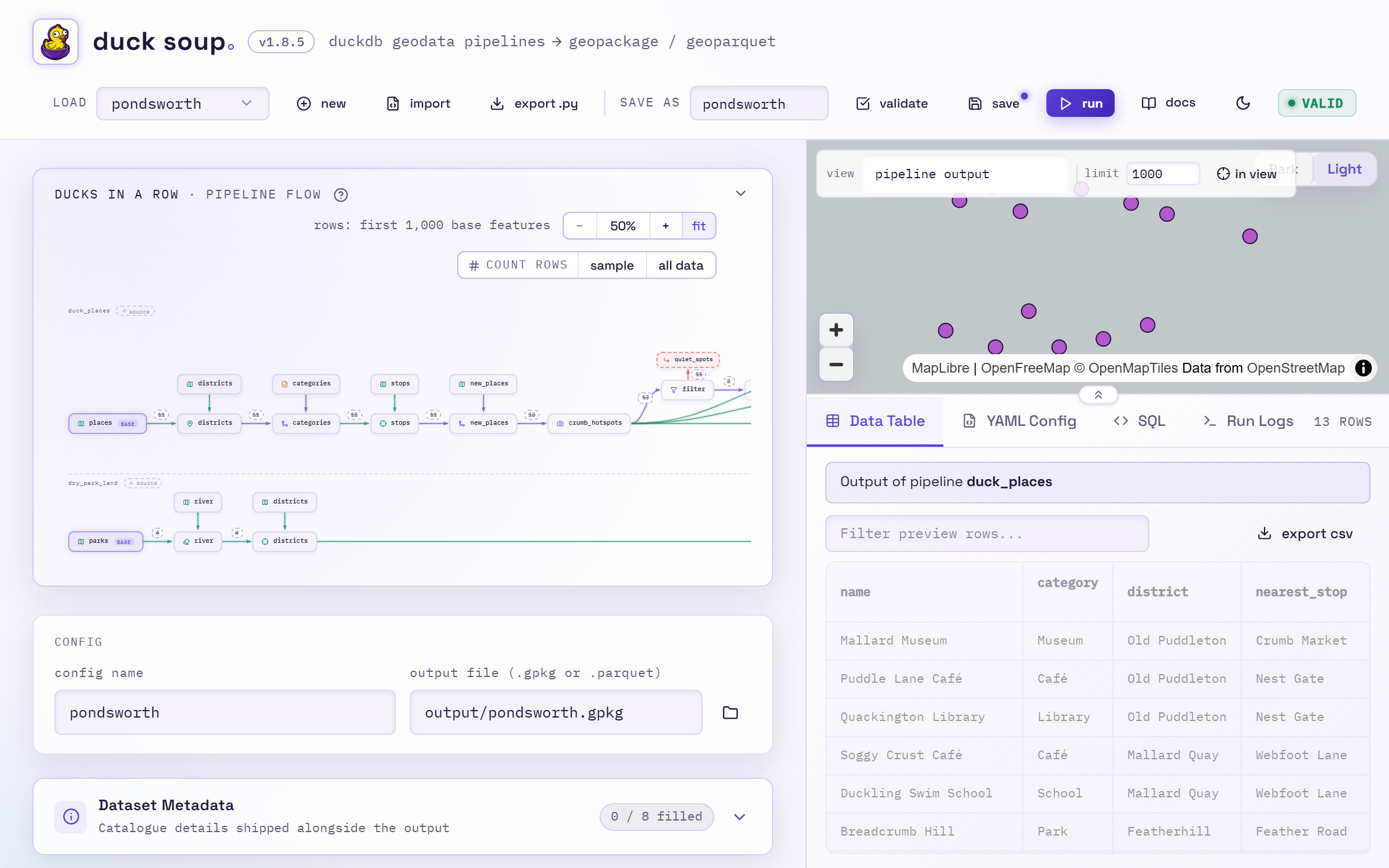
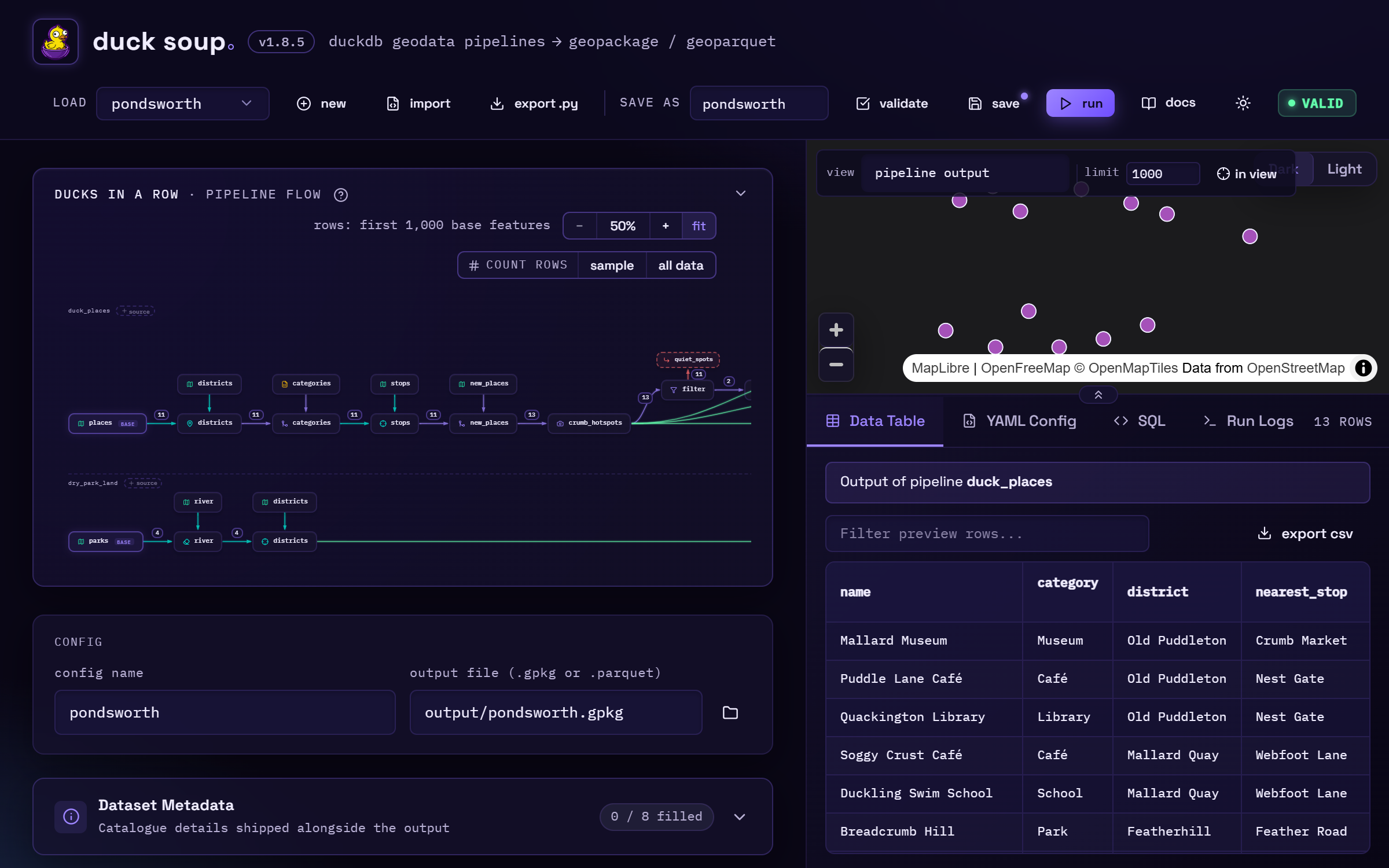
In the editor, the same pipeline is a handful of cards (sources, steps, a mapping grid, output layers) next to a live map and table of the result. Here it is with a larger example loaded:
How the guide is organised
| If you want to… | Read |
|---|---|
| Install duck soup and run your first pipeline | Install, Quickstart |
| Understand sources, base, steps, mapping and layers | Core concepts |
| See every step and mapping option run on sample data | Tutorials |
| Build pipelines by clicking rather than typing | Web editor |
| Translate an FME workspace | Coming from FME |
| Run pipelines on a schedule | Scheduling runs |
| Fix something that went wrong | Troubleshooting |
| Look up every YAML option | Reference |